Approval workflows with receipts.

Build a form, draw the stages it goes through, and Wayrun keeps the record: who approved what, when, and why, in a history that can't be edited after the fact. It runs on your SQL Server, behind your single sign-on, with nothing leaving the building.

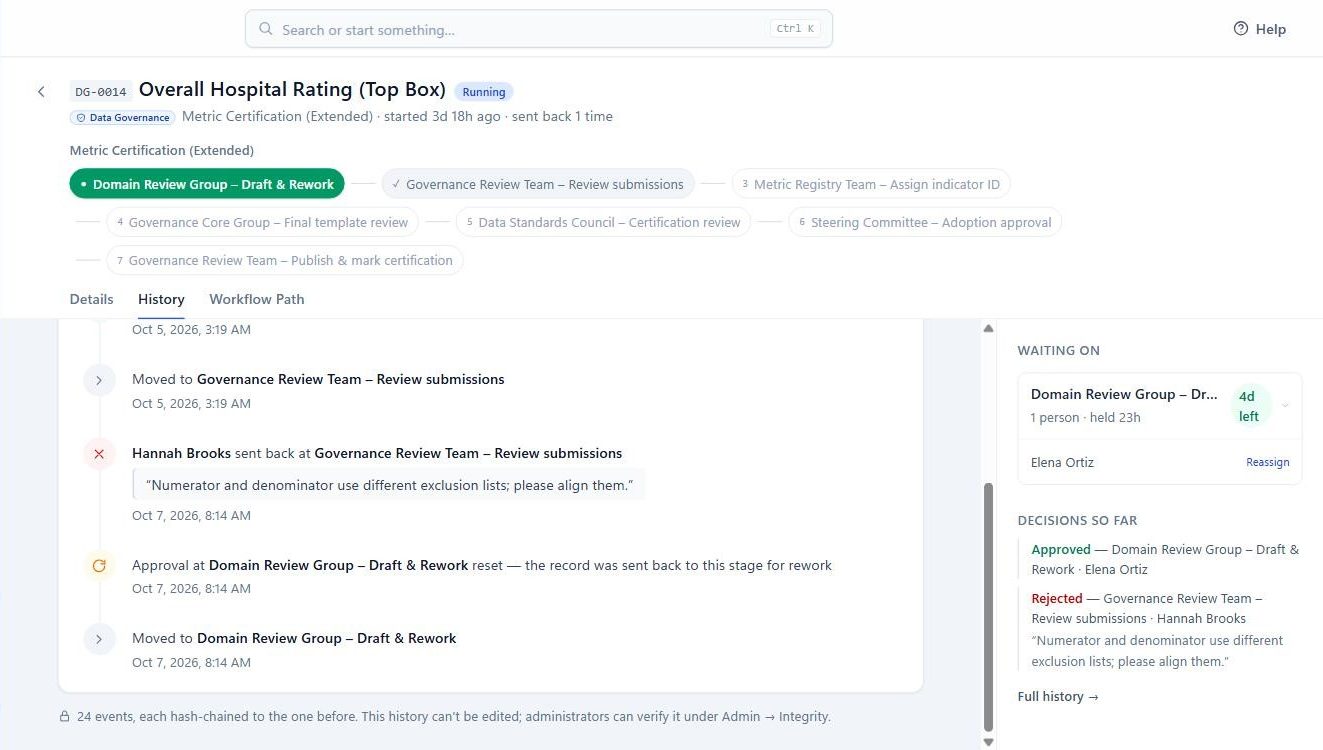
DG-0014Overall Hospital Rating
    0 events
    A record's history timeline

    Here's a metric certification two days in. The submitter's draft went through intake, a reviewer sent it back once (the reason is right there in the history), and it's now waiting on the next group. Nothing in this view was typed by an administrator. It's all the record.

    The designer is for governance people, not developers.

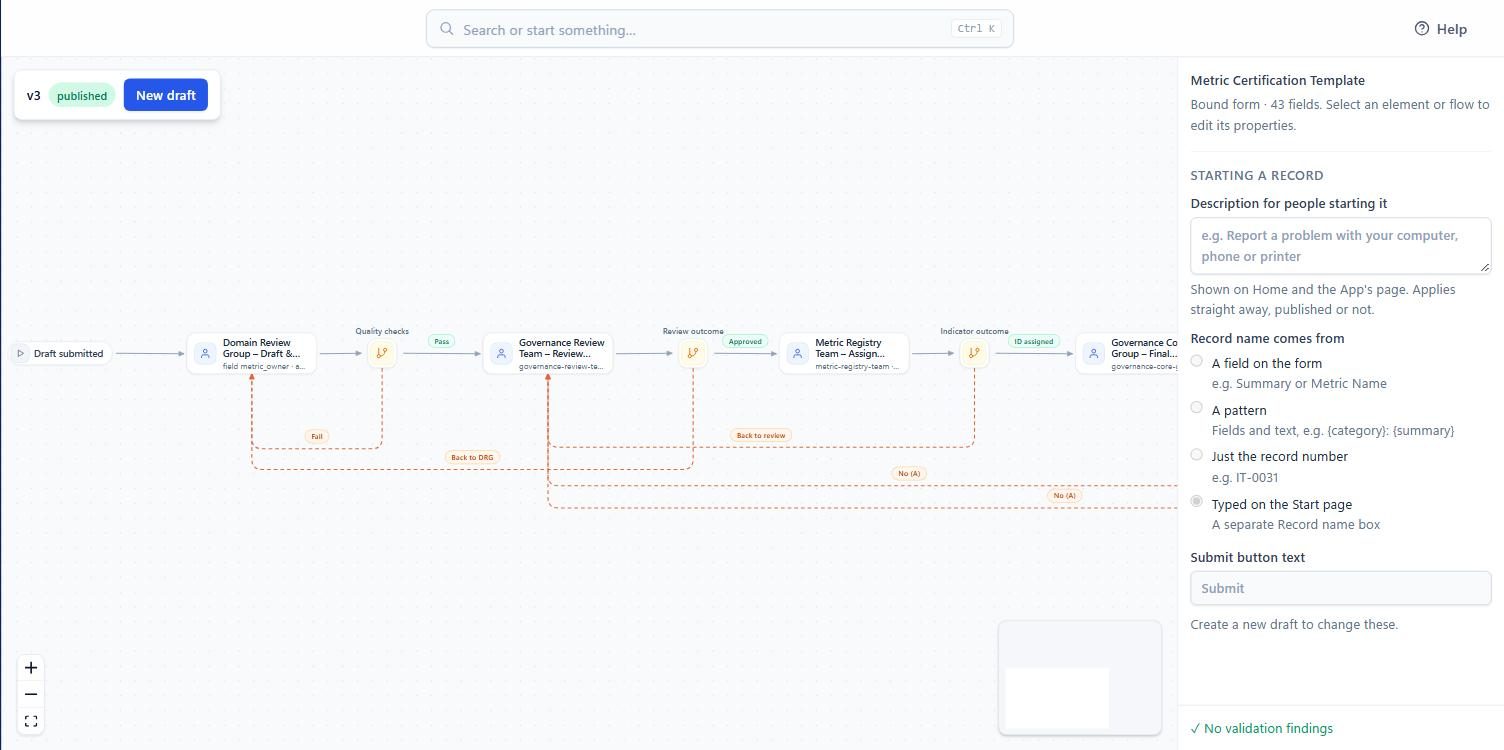
    Stages, who approves, how many must agree, how long they get, what happens when they don't. Drag it, validate it, publish it. Records already in progress stay on the version they started with, so changing a workflow never rewrites someone's history.

    The workflow designer canvas
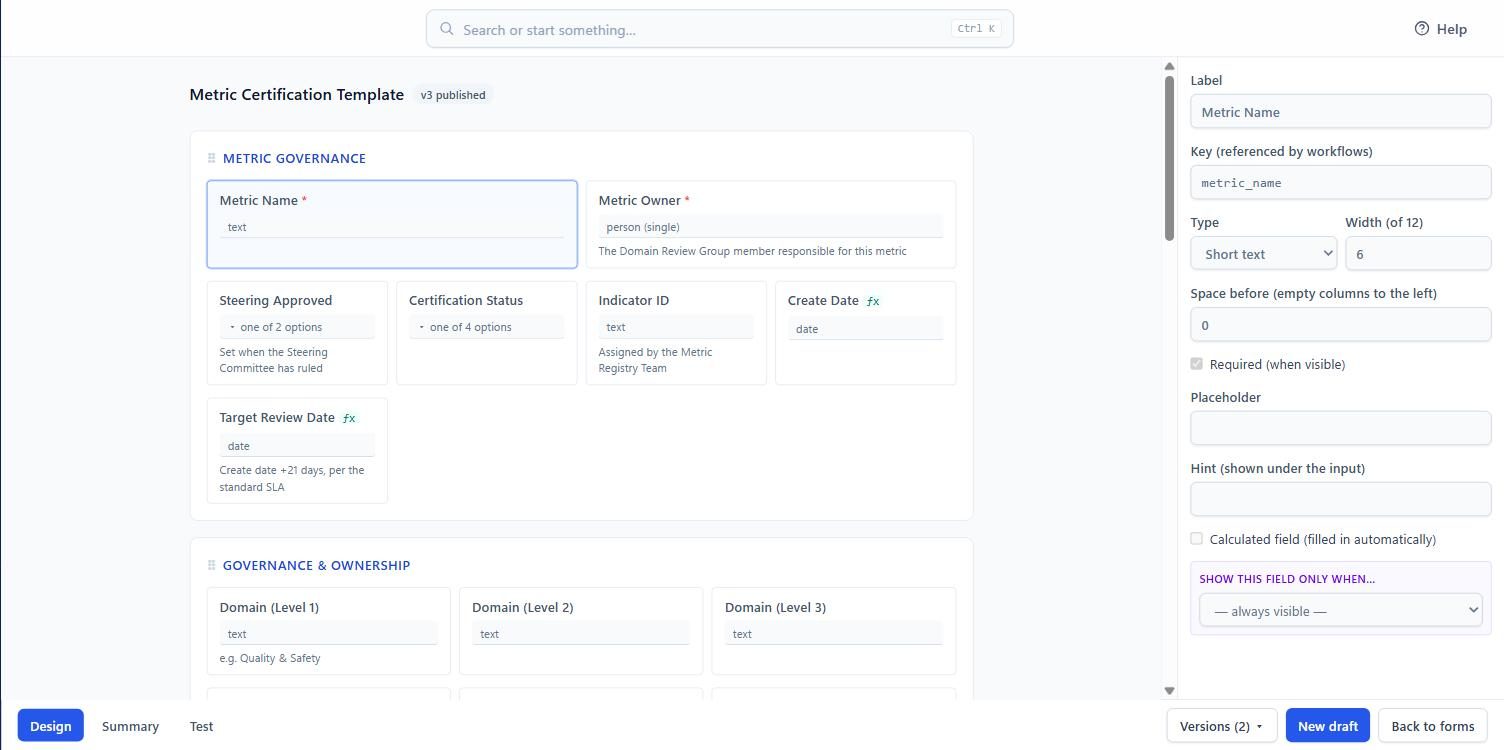
    A field's settings in the form designer

    Questions don't bounce the record.

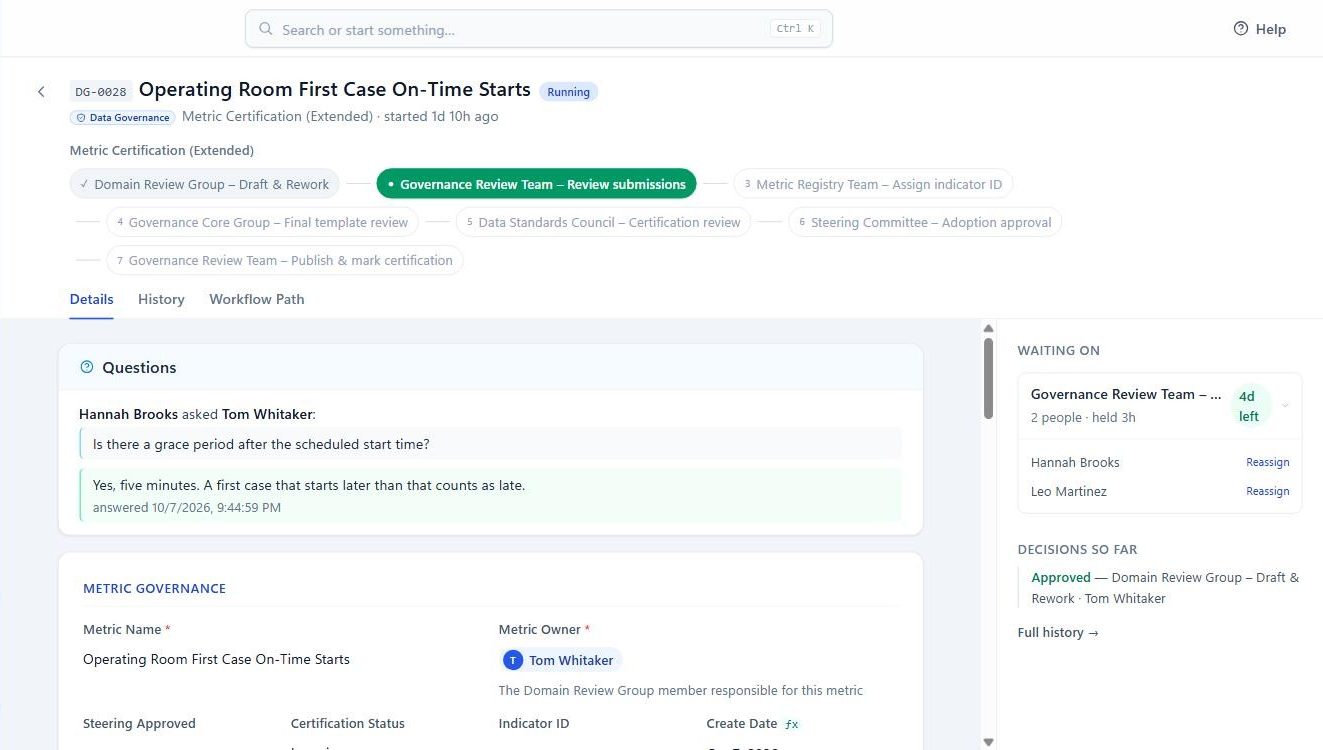
    A reviewer can ask the owner something and keep the record where it is. The question, the answer and the eventual decision land in the same timeline. We added this after watching a review team manage clarifications over email for three weeks.

    A question and its answer on a record

    Tamper-evident, and we mean it technically.

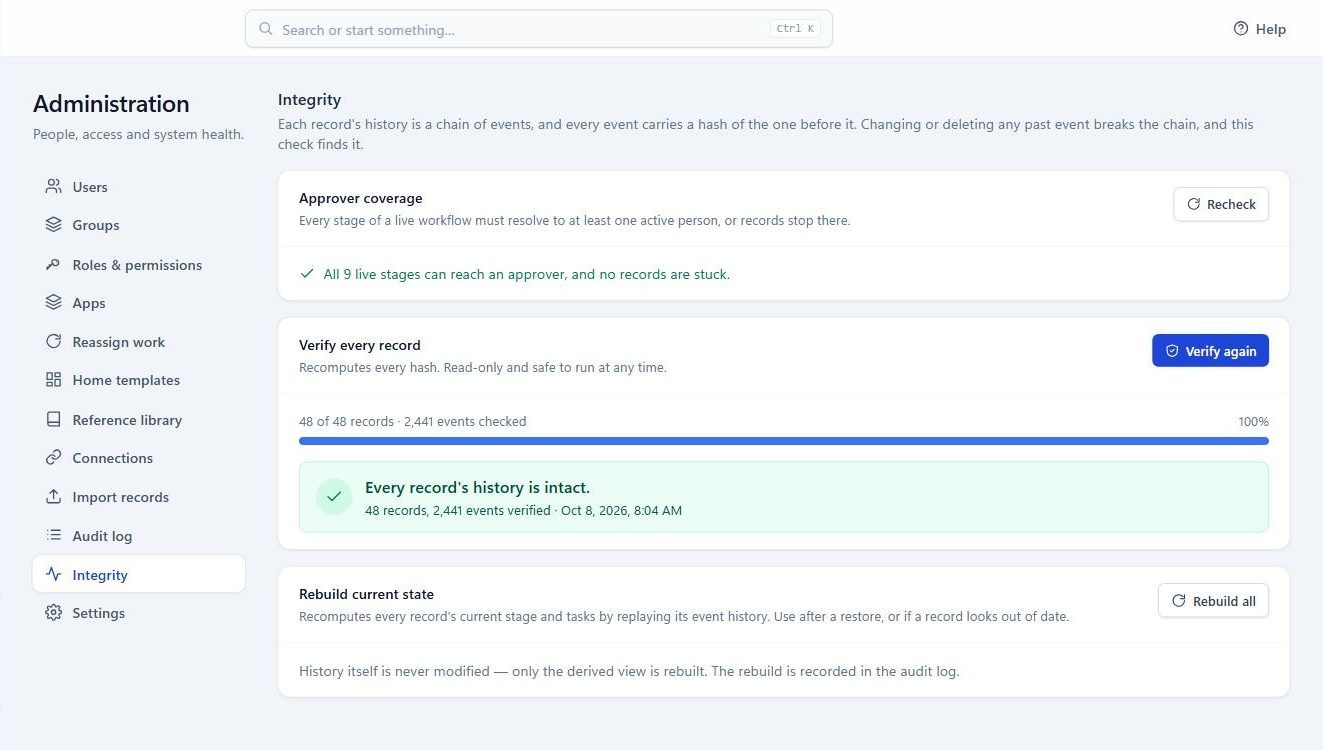
    Every event carries a hash of the one before it. Edit or delete any past entry and the chain breaks; an administrator can re-verify every record from the Integrity page. Approved definitions are frozen and fingerprinted the moment they pass.

    Integrity check result
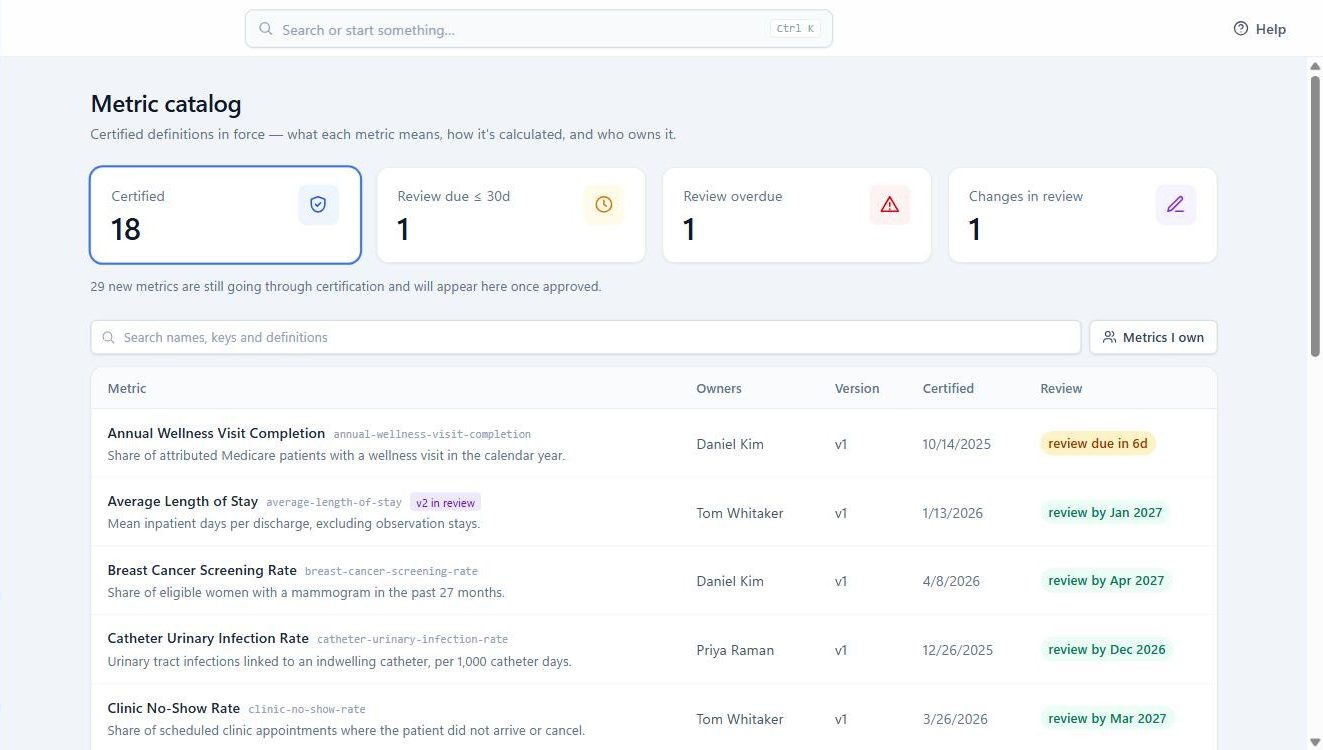
    The certified metric catalog

    It tells you where work is stuck.

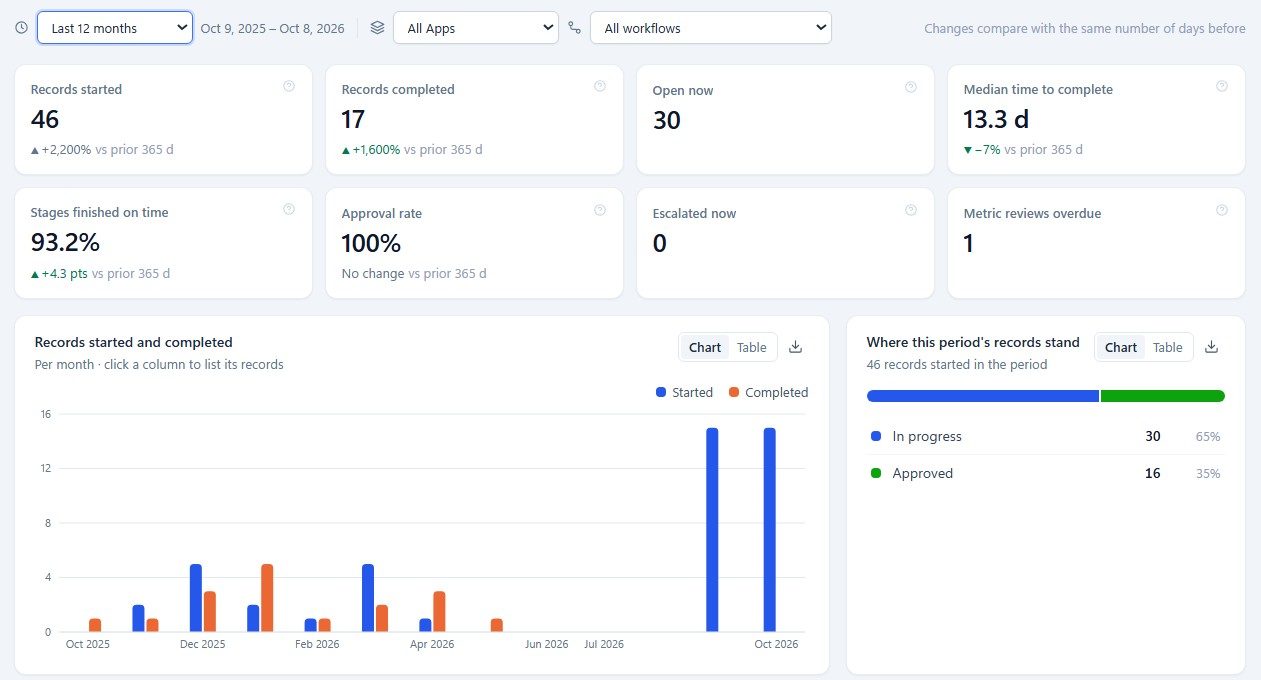
    Median time to approve, deadlines met, how often things get sent back, which stage is the bottleneck, who's carrying the queue. Every number drills to the records behind it, exports to CSV, and prints.

    Reports overview

    For IT.

    What it needs. A Linux or Windows server with Docker, 2 CPUs and 4 GB, and a SQL Server 2019 or later instance you already back up. Two containers. The application login has no DDL rights; migrations run under a separate one your DBA controls.

    Sign-in. Entra ID, Okta or any OpenID Connect provider, set up from an admin screen with a Test button. A local password for the first administrator until that's done.

    Nothing phones home. No telemetry, no licence server. The licence is a signed file; if it lapses you get a notice, then a 30-day grace period, and even after that nothing in progress is locked.

    Tested at 100,000 people and 100,000 records on one small VM: queue and record pages under 0.2 seconds, search about half a second.


    Try it with real-looking data.

    We'll give you a sign-in to a hosted copy loaded with a fictional hospital's governance work: 47 metrics, records at every stage, questions waiting, a year of history in the reports. Tell us who you are and we'll send it, normally the same day.

    Install it yourself.

    You get a zip: two container images, a compose file, installers for Linux and Windows, and the database script for your DBA. Most installs take under an hour including the setup wizard. Pricing is per organization by headcount; ask and we'll send the sheet with the download.